Forum Discussion

XYY
4 years agoNeighbour
New Telus Wi-Fi 6 Access Point and Wi-Fi Jack
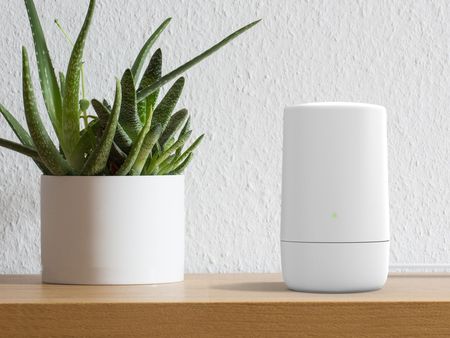
Here's the 2 new peices of equipment from Telus. They are only being installed in select areas as of now. Description: The TELUS Wi-Fi 6 Access Point contains next-generation Tri-Band Wi-Fi 6...

NFtoBC Community Power User
4 years agoCommunity Power UserYes, provided you can place it centrally in your house to get the coverage. Some homes may still need Boost mesh to reach all corners.

wizzardsl
4 years agoFriendly Neighbour
New Telus customer here; I just received the latest Telus equipment: Network Access Hub (NH20A) that is a Router / Hub device with no WIFI but takes an SPF that the Fiber terminates into and The WIFI 6 (AX) Telus central WIFI (B20A) Access Point. I logged into the AP config page and noticed it has a WIFI Boosters section and lists the main AP as (Primary). This leads me to believe you can extend the WIFI6 AP with additional like central WIFI 6 (AX) B20A devices. I have tried the Telus Boost kits but they are not WIFI 6 (ax) and simply create a new WIFI that is not meshed with the B20A. I was also sent a Telus WIFI Hub and although this looks similar to the WIFI 6 (AX) B20A it is not. The WIFI Hub is a router / AP (not WIFI 6 / AX) combined that can also take an SFP so the fiber can be directly connected to it. So from what I have tested so far and understand from the B20A WIFI 6 (AX) configuration page is that other B20A like devices should be able to mesh and act as WIFI boosters to provide a WIFI 6 (AX) mesh. Can anyone confirm this?
- wizzardsl4 years agoFriendly Neighbour
I can confirm after talking with Telus Tech support that I am correct in that if you want to range extend your WIFI6 Boost 2.0 system that uses the B20A you will need more B20A devices. The regular Telus extenders are not WIFI6 (AX) and will not extend the B20A.
 locosman4 years agoFriendly Neighbour
Ok, if I get an additional B20A device for the basement will that create another SSID network or can it be set up as a mesh network so that it's a single wifi network for the whole house?
 XYY4 years agoNeighbour
How did you access the config page for the B20A? I can only access it for the NH20A.
- wizzardsl4 years agoFriendly Neighbour
Log into the NH20A Click on Connected Devices tab under the Overview section and look for the IP address of the Boost2.... device. Under Boost role it will be listed under Controller and It's IP should be a blue hyperlink you can click on. Make note of the IP and any time you want to login simply go to it's IP. Mine seems to have a somewhat static reservation that keeps it at X.X.X.41 however best to se what IP yours has in the NH20A. Once you go to it's IP in your browser (Or clicked on the IP link in the NH20A) you can login with the credentials printed on the B20A base.
 TlsPZ4 years agoNeighbour
Re: Mine seems to have a somewhat static reservation that keeps it at X.X.X.41 however best to see what IP yours has in the NH20A. Once you go to it's IP in your browser (Or clicked on the IP link in the NH20A) you can login with the credentials printed on the B20A base.
Dear wizzardsl,
I tried to log in at xxx.xxx.x.41 (which I believe is the same for everyone) with the username "admin" and "telus" using the admin password printed on the B20A base (i.e. the Boost WiFI 6) without success. What username do you use?

