User Profile

WayneT
Organizer
Joined 5 years ago

User Widgets
Contributions
Re: New Google Sign-in and Telus Email
For my problem, It is google maps and google drive that is trying to login every day. There is a sync option for google drive but no sync option for google maps. i will try enabling and disable the sync options again and reboot both devices but not sure that will help with google maps as there is no option to stop that.8KViews0likes3CommentsRe: New Google Sign-in and Telus Email
I am having the same problem as well which started a week ago. Need a proper solution that either prevents the telus.com account from logging in or allow the telus.com email to complete the login and stop the error notifications. Disabling play service notifications is a temp hack and not a solution24KViews2likes0CommentsRe: Telus email account attempting to login to google maps over and over again
That is the same issue yes. But that thread said to disable norifications for google play services and that is a temp hack and not a solution. Need a proper solution that prevents the attempts or allows the login so that we can receive normal play services notifications10KViews3likes1CommentTelus email account attempting to login to google maps over and over again
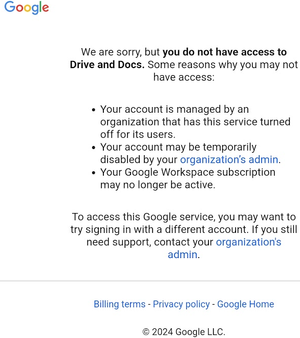
I have an Android tablet and and Android phone. On both devices I have a [email protected] account as my primary account for all google services. I also have [email protected] to access email only and I have not ever used that for any google apps like maps or docs, just email only. About a week ago, both devices starting to send a notification saying: Google Play Services Sign-In Request [email protected] I can see these attempts for Google Maps. They will come up every couple of hours over and over again. When I click on the notification I get this. I saw an old telus forum posting to login to a temp google account using myemail%telus.net@... but that would not let me login so I could not get past the first step. In Android settings on both devices, under the google accounts, my telus account, Sync Settings, I have all the sync options disabled. What is interesting is there is no option to disable sync to google maps which is the one that keeps sending notifications on. In google maps, I can see clearly that my gmail account is the primary account that is logged in. Under the google maps settings, I can see my telus account. When I click on the telus account in google maps. It says cannot login the specified google account. How do I stop the google play services from trying to log my telus email account into google maps or allow the telus account to login to the google maps to stop these annoying notifications?10KViews1like13CommentsRe: Outlook 2016 has 2 copies of every email sent since the migration to Telus Gmail for email.
Well after playing around with the settings I found the solution to my problem. Click File Click Account Settings Click Account Settings Select Email Tab Select your Email Click Change Check box for don’t save copies of sent emails. Next Done3KViews1like0CommentsOutlook 2016 has 2 copies of every email sent since the migration to Telus Gmail for email.
Since migrating my telus email to gmail, my outlook desktop client is saving 2 copies of every email sent in the Sent Mail folder. Inbox and Trash are both fine and dont show duplicate emails, only the sent folder is showing duplicates. I have multiple accounts setup on different computers with different installs of outlook and both show duplicate of all emails sent. Sending emails from my Android phone using imap is not causing duplicates and I only see 1 copy sent. I am using Outlook 2016 on Windows 10. Using IMAP in outlook settings following the Telus documents for Outlook to to GMAIL. In outlook the folder path is [Gmail]\Sent Email\ I believe what is happing is that the Outlook is saving a sent copy and the gmail is also saving a sent copy so I am getting 2 copies of each email sent.Solved3KViews0likes1Comment