Forum Discussion

xray
6 months agoHero
TELUS TV+ Suggestion
When browsing the guide programs that are set to record have a red circle at the end of the timeslot. This is not visible for longer programs like movies and sporting events due to the limited width of the screen. I notice the program title floats in the timeslot as you scroll left and right. Could the recording indicator also float with the title so that it's visible all the time? An alternative is to also highlight the title in red to indicate a program is set to record.
This is especially important on the app as phone screens are portrait mode but it's also an issue on the browser.
1 Reply
 TELUS_Support
Official Support Team
Great feedback! Do you have our latest Optik TV equipment? On our new digital boxes, this is already there...with the red recording icon always visible as you move left/right in the guide, as seen in these pictures:
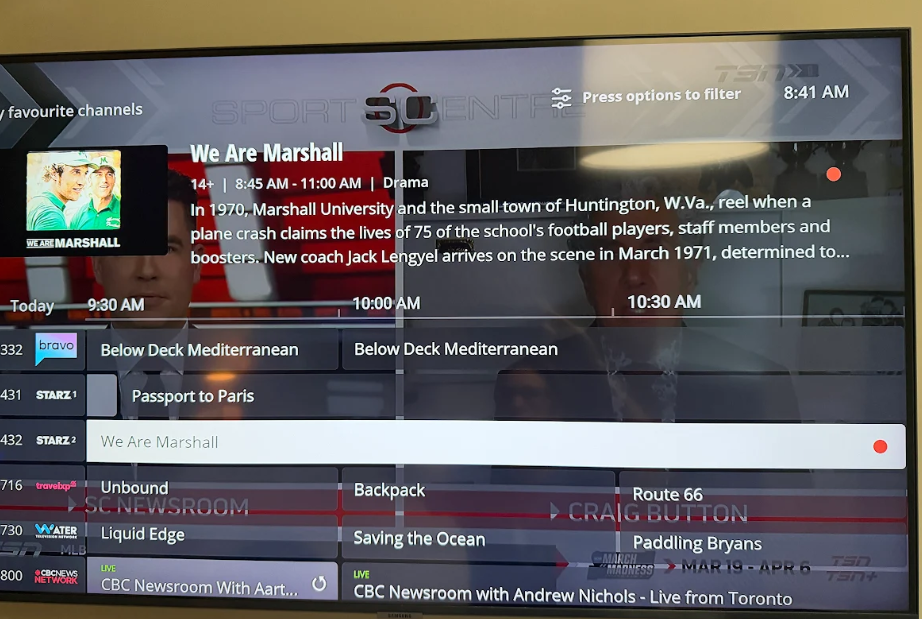
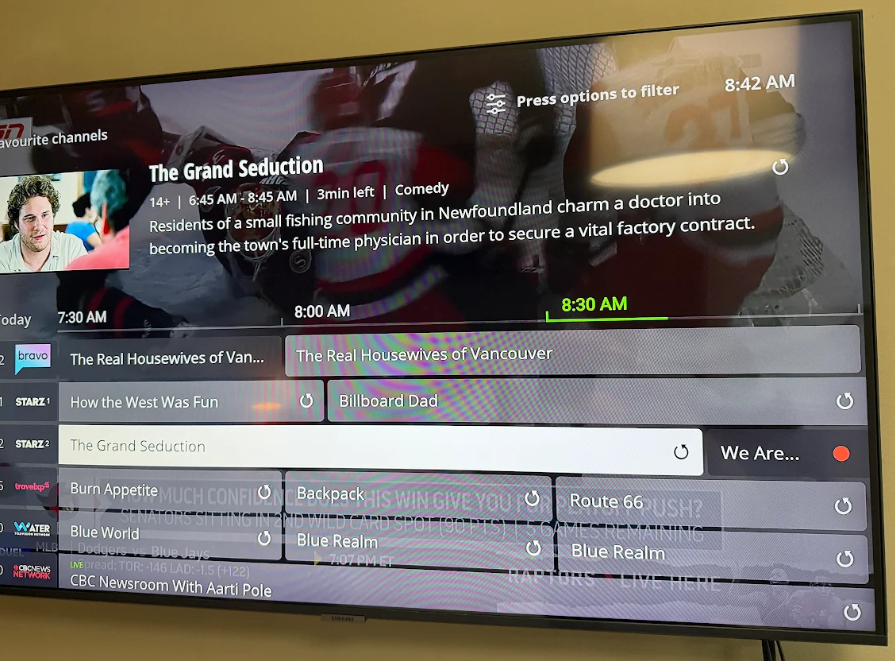
Note how the program 'We Are Marshall' still shows it, even when scrolling sideways in the guide.
As for the browser version, while there's not the same feature, you should be able to see hours' worth of programming so hopefully it's not much of an issue:
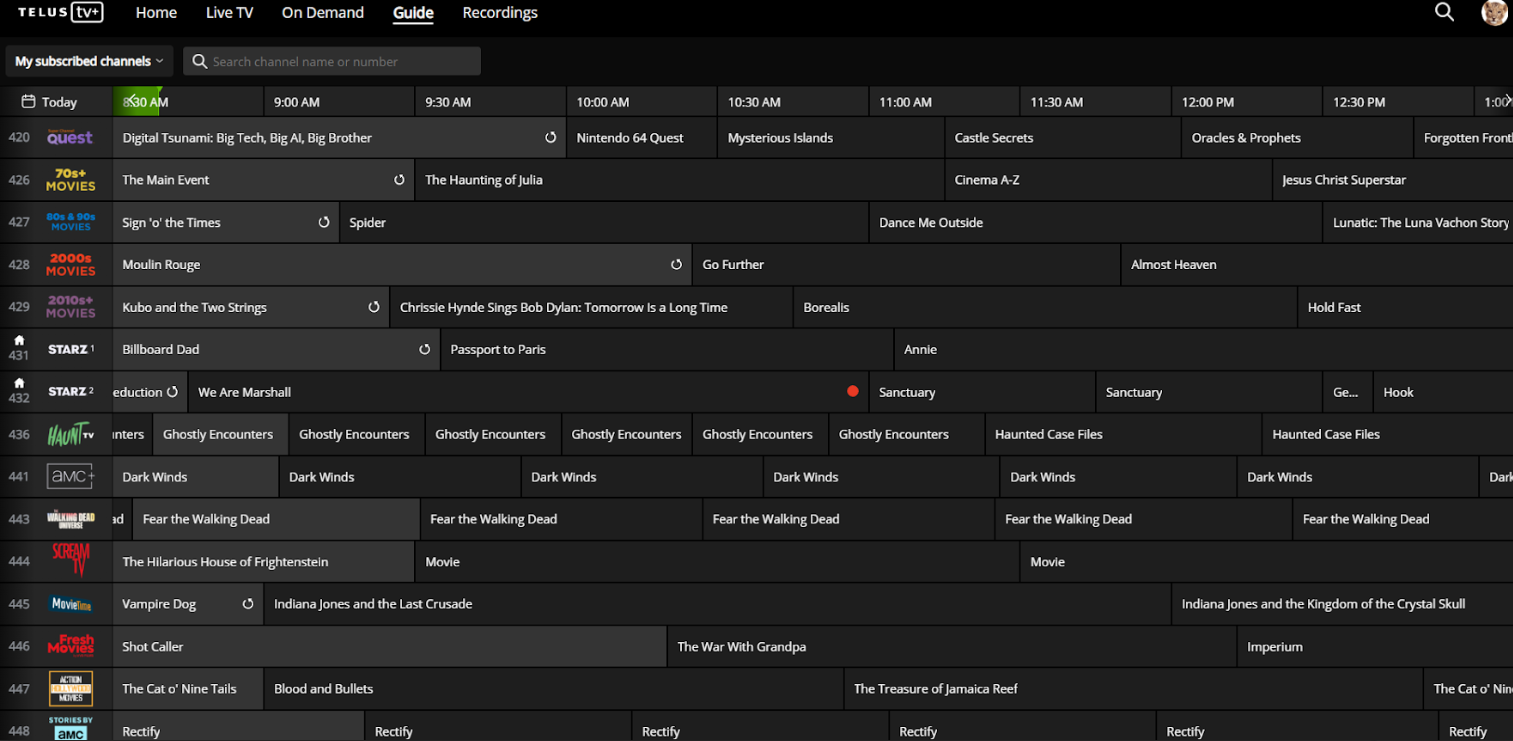
It shouldn't be a factor unless you're recording something that's over 4-5 hours long.


