Forum Discussion

Jarmac
3 years agoNeighbour
New fiber install. Can't connect 2.4Ghz smart bulbs to network.
We just had Telus PureFibre gigabit internet installed. The ethernet and wifi seem to work fine with our laptops and cellphones, but I cannot get any of my smart lights to work. Also, if I try to log...
- 3 years ago
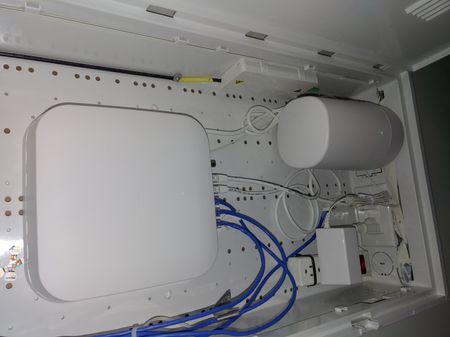
There is an alternative to what WestCoasterBC suggested. If you can log in to the Boost, it also has a specific smart devices network that can be manually enabled for 2.4GHz devices to connect to. It may or may not be the best solution depending on your needs. The default admin password to log in to the Boost is under the removable cap on the bottom of the device.
1) After logging in, click on the Wi-Fi tab on the left.
2) Click the right arrow in the top right corner.
3) Select Smart Device Network and then enable the top network. That is a specific 2.4GHz network. The password for the network is below it. It is a separate network name and password from the regular wi-fi networks on the Boost. The one limitation is that this password cannot be changed, or at least I haven't found a way to change it.


Telus-cust
3 years agoNeighbour
The smart modern has both 2.4g and 5g shown but have the same name. How can I edit the connection name for the older device to find the right wifi connection.

WestCoasterBC
3 years agoCPU Alum
Login to your white can Wifi 6. Once logged in navigate to Wifi on the left side
Turn off 5 GHz - Low, wait till settings are applied then turn off 5 GHz - High. Connect your devices that require the 2,4ghz band. Once your devices are setup turn the 5 GHz Low and 5 GHz high back on.


