tv
24 TopicsReturn Your TELUS Equipment in 3 Easy Steps
Have you recently moved, cancelled, or upgraded your services? You may have unused TELUS residential equipment sitting at home. If so, here's what you can do: PACKAGE THE EQUIPMENT - Find any appropriately sized box. - Include the first page of your most recent bill if you have it. If not, just grab a piece of paper and clearly write the following info on it: First and last name of the account holder. TELUS account number and full service address. Phone number associated with the service(s) (if applicable). - Seal the box securely. TAKE THE PACKAGE TO ANY CANADA POST OUTLET - Visit any Canada Post outlet and let the clerk know you're returning residential equipment to TELUS. - Quote the Return ID number PR142924. - Canada Post will provide you with a prepaid waybill, with the TELUS address already printed on it (no charge). (PLEASE NOTE: For any TELUS Mobility and wireless equipment returns, including the TELUS Smart Hub, please call our team directly at 1-866-558-2273 to arrange a return.) KEEP TRACK OF THE WAYBILL NUMBER - Please keep track of the waybill number you received from the Canada Post clerk until the package is successfully returned to our warehouse. - For convenience, take a picture of the waybill so you have it easily accessible on your phone! If you have any further questions, please comment below or reach out to us over at our Twitter/X or Facebook pages and we'll be there to help! FR version4.6KViews0likes0CommentsHow to Set Up TELUS TV+ on Amazon Fire TV
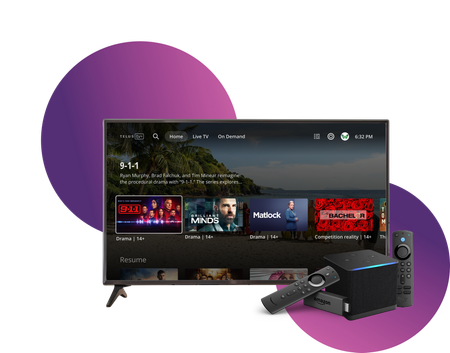
Stream TELUS TV+ content on your Amazon Fire TV devices. Follow these setup instructions to get started. Requirements Active subscription to one of: Optik TV Stream+ Pik TV with live channels Additional requirements: My TELUS or Koodo account Canadian region settings FireOS 6 or higher Installation Steps On your Fire TV device: Open Amazon app store Search for "TELUS TV Plus" Select Install Launch app Sign in using your account credentials Compatible Devices Firestick Fire Cube Fire TV-enabled television sets Available Features Main features: Live TV streaming On-demand content Cloud recordings (with subscription) 4K channel support Service Limitations Some channels require TELUS home internet No On Demand rentals or purchases No Pay Per View events Service available only in Canada Note: For On Demand purchases, use other supported TELUS TV+ devices and watch on Fire TV. When to Contact TELUS Contact TELUS support if you experience: Installation issues Login problems Content accessibility questions Streaming quality concerns Subscription verification needed Version FR2.9KViews0likes0CommentsHow to Manage TELUS Home Wi-Fi and Optik TV Parental Controls
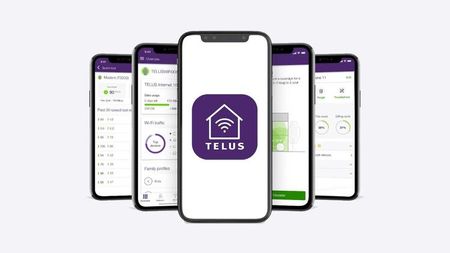
Control access to your home network and TV content using TELUS Connect app and Optik TV parental settings. Wi-Fi Management with TELUS Connect App Get started with the app: Download TELUS Connect from your device's app store Log in using your My TELUS credentials Access control features: View and change Wi-Fi password Monitor network usage Set up guest network access Enable parental controls Create Wi-Fi schedules Pause Wi-Fi instantly for specific devices Optik TV Parental Controls Set up basic controls: Create a parental PIN Configure content restrictions Manage content access: Block specific channels Set rating limits Filter content by type Monitor viewing activity Additional Security Features TELUS Wise provides comprehensive digital safety resources: Online safety guides Family protection tips Digital security best practices Visit TELUS Wise website for detailed information about online safety and security. When to Contact TELUS Contact TELUS support if you experience: Problems logging into TELUS Connect app Non-functioning parental controls Need for PIN reset Network restrictions not working properly Version FR2.4KViews0likes0Comments
Bitrate Quality on TELUS TV Plus
So, I am literally day 1 with Telus tv. I switched from old school 1080p60 Shaw boxs. It is insane how poor the bitrate is with Telus tv plus. I have 5 gig fiber with telus (and love it). I have their android boxes hard lined too. Yes, I have the right res set on each box with the best possible quality set. The poor quality is 100% due to telus brutal bitrate feed. I should have done some more research on this, there are a pile of posts on this same subject. I just assumed with such good internet the bitrate would be good too. I flipped back to one of my shaw boxs, since my service was not cut off yet, and its crazy to see the difference in quality, especially in sports. Thankfully I am within the 30 days and will be returning everything and calling shaw asking to put a hold on that cancellation. If you care about quality, hold off getting telus tv till they bump their bitrate. AndrewSolved2.3KViews1like3Comments