phone
2 TopicsTELUS Device Care Complete
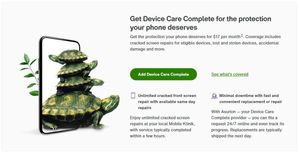
Protect your Android or iPhone from loss, theft, accidental damage, and manufacturing defects. Coverage costs $17 per month and must be added within 60 days of device purchase. What's Covered Loss and Theft Full device replacement if lost or stolen Accidental Damage Cracked or shattered screens Broken camera or power ports Malfunctioning microphone or speaker Liquid damage from water, coffee, or other spills Up to 2 incidents per 12-month period Manufacturing Defects Hardware failures covered under the same incident limit Additional Benefits Free battery replacements Unlimited photo and video storage at full resolution Expert tech support for device setup Repairs through Mobile Klinik How to Add Device Care Complete You have 60 days from your device purchase date to activate coverage. Option 1: During Purchase Add the plan when buying your device online or in-store. Option 2: MyTELUS Account Log in to MyTELUS Navigate to your device settings Select Device Care Complete under available add-ons Confirm enrollment Option 3: Phone Dial *611 from your TELUS device and request Device Care Complete. Option 4: TELUS Store Visit any TELUS location within the 60-day window. Cost $17 per month, billed to your TELUS account.399Views0likes0CommentsHow to Find Your Device's MAC Address
Follow these device-specific instructions to locate your MAC (Media Access Control) address for network setup and troubleshooting. Android Devices Android Tablets: Open Settings from home screen Tap About tablet Select Status Find Wi-Fi MAC address Android Phones: Open Settings Select About phone Tap Status Locate Wi-Fi MAC address Apple Devices iPhone/iPad: Open Settings Tap Wi-Fi Tap the ⓘ when connected to your network Find "Wi-Fi Address" MacBook Pro: Open System Preferences Select Wi-Fi Tap the ⓘ when connected to your network Look for "Wi-Fi Address" Windows 11 Click your start menu Go to Settings Network & Internet Tap on your network underneath the Wi-Fi toggle Scroll down until you see Physical Address (MAC) Important Notes MAC address is 12 characters long Appears as alphanumeric code Unique for each device Required for network setup When to Contact TELUS Contact TELUS support if you: Are unable to find the MAC address Experience network connection issues Have device registration problems Need setup assistance229Views0likes0Comments