parental controls
2 TopicsHow to Manage TELUS Home Wi-Fi and Optik TV Parental Controls
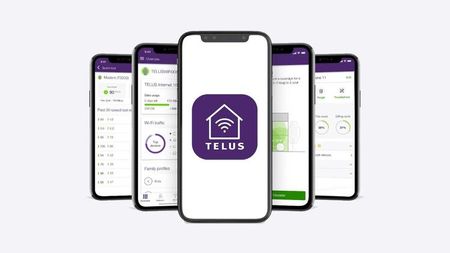
Control access to your home network and TV content using TELUS Connect app and Optik TV parental settings. Wi-Fi Management with TELUS Connect App Get started with the app: Download TELUS Connect from your device's app store Log in using your My TELUS credentials Access control features: View and change Wi-Fi password Monitor network usage Set up guest network access Enable parental controls Create Wi-Fi schedules Pause Wi-Fi instantly for specific devices Optik TV Parental Controls Set up basic controls: Create a parental PIN Configure content restrictions Manage content access: Block specific channels Set rating limits Filter content by type Monitor viewing activity Additional Security Features TELUS Wise provides comprehensive digital safety resources: Online safety guides Family protection tips Digital security best practices Visit TELUS Wise website for detailed information about online safety and security. When to Contact TELUS Contact TELUS support if you experience: Problems logging into TELUS Connect app Non-functioning parental controls Need for PIN reset Network restrictions not working properly Version FR2.4KViews0likes0Comments
Telus Connect and Parental Restrictions Issues
So this is a bit frustrating. I have been using the parental restrictions on my kids ipads just fine until recently. Now these ipads just stopped working on the wifi during the day and the app won't even let me check the profiles. Every other device that is not connected to this parental restriction profile works just fine. So I'm pretty sure it has something to do with the profile. I've power cycled the modem, restarted the devices, forget the network/rejoin etc.. These things still would not get an ip address. As I write this, the app finally kicked in and let me delete the profile then after another router reboot the devices started working again. Does Telus not have any other way of managing these profiles? I logged into My Telus and also the admin panel on the modem and neither had any section to manage these profiles. If it wasn't for the app finally deciding to work again, these devices would still be not working on the wifi. I would hope Telus would know better than to have a single point of failure. I really like being able to put restrictions on my kids ipads so they're not watching Youtube at night but now i'm weary about creating any more profiles if it will randomly lock them out during the day. Edit: 2 of the device reconnected fine, 2 others did not. sigh... Edit 2: fixed by factory resetting the modem. Edit 3: Not working again...11KViews0likes10Comments