connect
3 Topics
Connect App doesn't pause
Have been an optik internet customer for a few years, but just tried to use the app for the first time 2 days ago because I want to be able to pause the kids internet at night since it's summer and they go to bed later than me. I can login to the app, it sees my Modem/Network Access Hub (Technicolor NH20T) and Boost Wi-Fi 6 (Arcadyan Boost 2.1), and shows the connected devices list. But when I try to pause one of the devices I get the error "Oops Your modem can only pause a maximum of 0 devices. Please unpause some devices and try again." I have tried doing a pinhole reset on the modem and on the boost then uninstalling and reinstalling the app. Once the app eventually found the modem online again and I tried to pause something again and got the same error. Called customer support, after an hour on the phone she was stumped and said she'll call me back (with no reference number or anything, I honestly didn't think she would) and she did call and leave me a message about 4 hours later saying this is a known issue and they are working on a solution and they will send out an update when it's fixed (when? how will I know?). Does anybody have any information to corroborate or contradict this? Or any suggestions for me?360Views0likes9Comments
Can't log in to Telus Connect app
Can not log in to my Telus Connect app. Every time I try it says it can't login using 'my account' and yet every option given brings me to Telus My Account. I need to log in to the Connect app for my wifi/modem. I have already... reset the modem Force stopped app Cleared cache app Uninstalled/reinstall app Oh! And my admin password says it correct when I try doing it that way Help!194Views0likes1CommentHow to Manage TELUS Home Wi-Fi and Optik TV Parental Controls
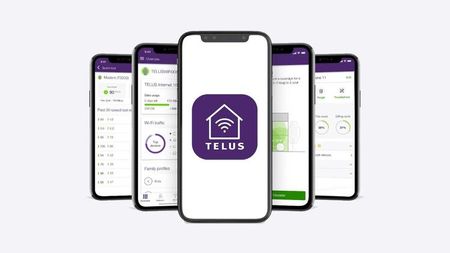
Control access to your home network and TV content using TELUS Connect app and Optik TV parental settings. Wi-Fi Management with TELUS Connect App Get started with the app: Download TELUS Connect from your device's app store Log in using your My TELUS credentials Access control features: View and change Wi-Fi password Monitor network usage Set up guest network access Enable parental controls Create Wi-Fi schedules Pause Wi-Fi instantly for specific devices Optik TV Parental Controls Set up basic controls: Create a parental PIN Configure content restrictions Manage content access: Block specific channels Set rating limits Filter content by type Monitor viewing activity Additional Security Features TELUS Wise provides comprehensive digital safety resources: Online safety guides Family protection tips Digital security best practices Visit TELUS Wise website for detailed information about online safety and security. When to Contact TELUS Contact TELUS support if you experience: Problems logging into TELUS Connect app Non-functioning parental controls Need for PIN reset Network restrictions not working properly Version FR2.4KViews0likes0Comments