Forum Discussion

colechapman205
3 years agoFriendly Neighbour
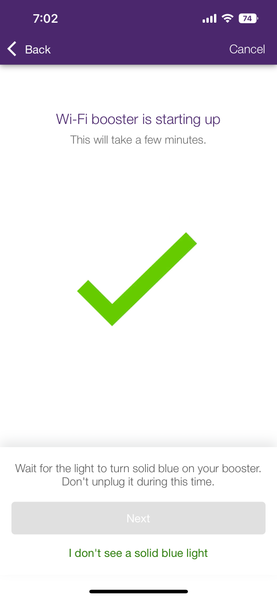
unable to activate boosters, app stuck wont let me hit next.
okay so im brand new to telus, been with Shaw forever, i use those Shaw WiFi pods to bring Ethernet to my computer. whats nice is that they are almost literally plug and play. unlike these boosters w...
 3 years ago
hey bud! i got it working
so this is what i did.
- connect both pods via ethernet. let sit for 20 minutes.
- once both pods have sat for awhile turn off the one you want to move with the button on the back
- disconnect the ethernet cable and turn back on
- wait for it to turn blue. if red restart all modems and routers.
- boot up pod again wait for blue. if red again connect via ethernet and restart
- once its blue factory reset it.
- boot up with ethernet then wait for blue.
- disconnect ethernet and boot up again
this was the moment it turned blue for me. all on its own. brought it to my room and im currently getting 400 up and 400 down via ethernet from the pod
and no i dont have the starter pack and it still worked.
colechapman205
3 years agoFriendly Neighbour
my tech told me to plug them both into the modem at the same time and wait 15 minutes. im starting to suspect that since he didn't give me one starter pack he gave me two expansion packs that its the root cause of the problem. because apparently the starter pack boosters are already linked to eachother so you don't need the app at all. but in this case i need the app to tell them to communicate with eachother but they refuse to. will keep everyone posted on my discoveries. might have to just switch back to shaw

Tjones23
3 years agoNeighbour
I’ve recently found out from my own digging that the the boost 6 is wifi 6 and is not compatible with the wifi booster pods. You need another boost 6 to extend your wifi range. It’s a bit frustrating that this isn’t common knowledge with Telus employees and that they would sell me this product knowing what I already have. Very poor customer service.
- NFtoBC3 years ago
Community Power User
The Boost ‘pods’ are indeed compatible with the Wi-Fi 6 cylinder.
- colechapman2053 years agoFriendly Neighbour
hey bud! i got it working
so this is what i did.
- connect both pods via ethernet. let sit for 20 minutes.
- once both pods have sat for awhile turn off the one you want to move with the button on the back
- disconnect the ethernet cable and turn back on
- wait for it to turn blue. if red restart all modems and routers.
- boot up pod again wait for blue. if red again connect via ethernet and restart
- once its blue factory reset it.
- boot up with ethernet then wait for blue.
- disconnect ethernet and boot up again
this was the moment it turned blue for me. all on its own. brought it to my room and im currently getting 400 up and 400 down via ethernet from the pod
and no i dont have the starter pack and it still worked.
- colechapman2053 years agoFriendly Neighbour
its starting to look like this is the case but the tech said everything is backwards compatible. currently talking to telus directly to see if i can solve it.


