Forum Discussion

DrPacman
3 years agoRockstar
Achieving optimal upload, and download speed from your TELUS connection
After much research into this matter, I would like to offer my 2 cents worth on achieving the optimal Up/Dl speeds with the various currently offered packages, and hardware from TELUS. The mai...

YYJMSP
2 years agoOrganizer
We ordered an upgrade to 3G service back in Oct 2023. It's been nothing but a nightmare over the last 4 months trying to get this service.
We have repeatedly had techs not show up, techs show up on the wrong day, tech swap out all of the equipment after saying it's all wrong and the previous tech didn't know what he was doing, techs saying the other side of our connection wasn't plugged into a 3G capable port, techs saying the back office hadn't provisioned us on the right 3G profile, etc
During this period, we had 4-6 weeks of 450/60 throughput, nowhere near the 1.5G that we previously had or the 3G we had upgraded to.
Now, we are seeing 1050/950 throughput, still nowhere near the 2300/2300 the previous poster sees or the 3000/3000 we are expected.
We have a number of support tickets outstanding to deal with the speed, billing issues (instead of upgrading our existing account, they opened a new account so we have months of double-billing!), no-show service call fees where we are being charged when it was the tech who didn't show up, etc.
We're hanging on because the bundled 3G package price ends up being the same as what we were paying for 1.5G service, so we're not losing any monies, but we aren't getting what we ordered.
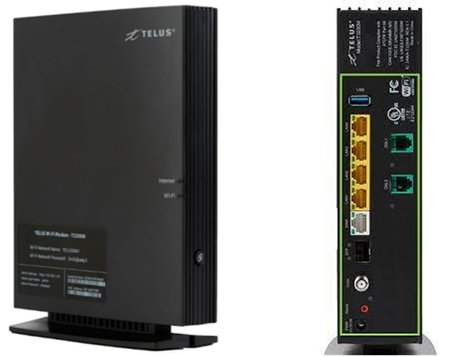
We have the Nokia ONT with their cable between it's 10G port and our 10Gbps switch, and our 10Gbps equipment connected to that. We have tried plugging our 10Gbps equipment directly into the 10G port on the ONT. Everything is showing a 10Gbps link, just not the expected 3G throughput. Any ideas on what we can try while we wait for them to respond to our latest tickets and send out yet another tech?

Nighthawk Community Power User
2 years agoCommunity Power UserNokia ONTs don't have 10G ports on them. Are you sure you don't have a different device there? Do you possibly have the Arcadyan NH20A or the Technicolor FXA5000? They're the white square ones.
- YYJMSP2 years agoOrganizer
Black rectangular box says "Nokia" on the front. Back says model is XS-250X-A. Definitely a 10G port...
 Darren_P2 years agoOrganizer
I just ran a speed test and here are the results:
15891992581.png
I checked and found the following.
System Info (1).jpgTransceiver.jpgPorts.jpg
 Raghbir2 years agoOrganizer
Hi. Thanks for including the screenshots. I have what you called "White Trash Can"; I cannot find anyway to find any diagnostics including network information that you included such as packets errors.
On your NH20T device, do you know if you can put this into bridge mode and disable dhcp and/or NATing? On the Telus hub, I put the device into full-bridge mode but cannot control dhcp or NAT and just wondering if NH20T can perform these tasks. I also ran my service without any of Telus hardware but them Telus could not support it when the network went down - nothing related to my network hardware.
Thanks, R


