data
2 TopicsGet To Know The My TELUS App
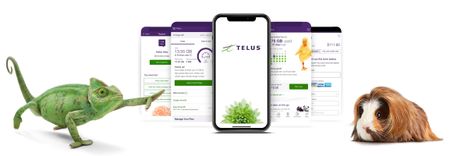
Get To Know The My TELUS App Did you know we have a highly rated app that allows you to check your bills, usage, and much more at the tip of your fingers? We know that your time matters, and the My TELUS app has got you covered! Let's take a look at everything you can do with the app. The benefits of using the My TELUS app Making changes to your plan & add-ons Viewing your bill & usage details Setting up data notifications & limits Checking/keeping track of your data usage Reduced wait times on the phone How to create & access your account 1. Download the My TELUS app on your iPhone or Android device or text “app” to 54555 to download. Alternatively, you can also access the web version here. 2. Once downloaded, you’ll have the option to sign up for My TELUS or log in (if you’ve already created an account in the past). 3. Log in and you’re ready to go! You can now make changes to your services & view your usage details. If you have any questions, reach out to us over on our Facebook page or Xaccount, or send a private message to our TELUS_Support handle and we'll be around to help! FR version7KViews1like0CommentsTraveling With Easy Roam
Easy Roam lets you use your existing data and minutes in other countries. Add the feature before you travel to avoid higher roaming charges. How to Add Easy Roam Through the My TELUS app: Open the app and select "Usage" Tap "Easy Roam" Turn on the feature By text message: Text TRAVEL to 7626 Reply EASY when you receive instructions Billing and Usage Daily charges: Easy Roam bills from activation until 11:59 PM that day. Each 24-hour period counts as one day of usage. Automatic renewal: The feature renews daily while you're traveling unless you disable it. Avoid Charges When Not Using Easy Roam Turn off both settings to prevent Easy Roam from activating the next day: Disable Data Roaming in your phone settings Enable Airplane Mode Making Calls to Canada Dialing format varies by country. Visit howtocallabroad.com for specific instructions based on your location. Text messages to Canada: Use the same international dialing format required for calls. When You Return Home Easy Roam stops billing automatically when you're back in Canada. No action needed to disable the feature. When to Contact TELUS Contact TELUS before traveling if you're unsure about Easy Roam rates for your destination, need help activating the feature, or experience unexpected charges. Check your bill after returning to verify all Easy Roam charges are correct. Version Fr1.5KViews0likes0Comments