Streaming
4 TopicsStreaming on TELUS - Februrary 2026
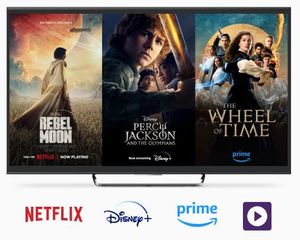
Hey everyone! Hope you're doing well and enjoying the new year! February is right around the corner, and another month means another new batch of great movies and shows to check out on Optik TV! Remember, you can catch all the hottest new content as part of our awesome Stream+ package to get Netflix Premium, Disney+ and Prime Video all at a discounted rate! Let's take a look at some of the highly anticipated titles streaming in February as well as what I'm hooked on now! Coming in February February 5 - The Lincoln Lawyer (Season 4) - Netflix The return of Manuel Garcia-Rulfo as the iconic lawyer, back to tackle another thrilling case in this smash hit based on the series of novels. February 19 - The Night Agent (Season 3) - Netflix FBI agent Peter Sutherland returns in another season of the hit political thriller series. Most Anticipated The Lincoln Lawyer (Season 4) - Netflix Based on the bestselling novel series by Michael Connelly (also responsible for the fantastic 'Bosch' books/series), The Lincoln Lawyer is back. Manuel Garcia-Rulfo returns as Mickey Haller, Los Angeles' most dedicated defense attorney. Trouble seems to find Mickey in every season, and things seem no different this time around. After the shocking finale of Season 3 (no spoilers!) there's more than ever at stake now that Mickey himself is the client. With his reputation, and his very life, on the line, he'll need to do everything he can to prevail in the end. I'm a huge fan of this series. The writing is quick, the acting sharp, and there's enough cliffhangers in almost every episode to keep you coming back for more. Garcia-Rulfo definitely shines as the titular character, with a great supporting cast that's both well-rounded and hilarious. If you're a fan of political or courtroom thrillers, The Lincoln Lawyer is for you. All three seasons are streaming now so you have time to catch up before the new season drops February 5 only on Netflix! What I'm Watching Now Fallout (Season 2) - Prime Video I'm so pumped that Fallout is back! The megahit post-apocalyptic series based on the worldwide phenomenon video game series has returned for an action-packed second season! In this story, there are the haves and have-nots. Set about 200 years after the 'end of the world' bombs dropped, the denizens of a series of luxury fallout shelters underground are forced to return topside into a world full of radiation, mutated creatures, raiders, and countless other dangers. This series centers around Lucy MacLean, a citizen of Vault 33 as she returns to the surface chasing after her father, who has a lot of things to answer for after the nuclear decimation of the planet. She partners unwittingly with Cooper Howard, a former actor who has since mutated into a ghoul, making his way as a gunslinger and bounty hunter. While fans of the video games will undoubtedly love the series, there's a lot to love for the uninitiated. If you're a fan of over-the-top humor and action, combined with a star-studded cast and fantastic special effects, you're sure to love Fallout. Both seasons of the hit series are now streaming on Prime Video. It's a super fun series to kick back with and enjoy! ICYMI: Not subscribed to Stream+ yet? No worries! You can add it to your Optik TV package at any time! Find out more here! 135Views0likes0Comments
Disney+ Jittery/lag
Hello. I have had Optik TV for over 2 years, with Telus Pure fibre 1gig internet. I use the newer style smaller cloud based TV box, connected via wifi. In the first 2 years I had optik TV I had Disney+ and it worked fine without issue. During that time, we cancelled it to cut down on costs. I renewed for another 2 years with Telus, and part of our new plan covers the cost of Disney+. Since I have restarted my Disney+ subscription, I find it lags durning playback. It’s very jittery. I also use Netflix, Apple TV, Amazon Prime, and Crave. None of the other apps have an issue. Live TV also seems to be fine. It’s just Disney+ that has this issue. I tried to uninstall and re-install the app, but the Telus Optik box won’t allow it to be deleted completely. It allows me to uninstall updates, which I did, and then re-installed them, and still had the same issue. I’ve lowered the playback quality settings on the app, and still it jitters. I was trying to watch a movie today and it was almost unwatchable. Has anyone else had this problem specifically with Disney+ on the Telus box. Any suggestions on how to fix it?777Views0likes13CommentsTELUS Stream+ FAQ: Premium Streaming Bundle Guide
TELUS Stream+ combines Netflix, Disney+, Amazon Prime, and TELUS original content into one convenient streaming package. Here's what you need to know. Plan Options Stream+ Basic includes: Netflix Standard with ads Disney+ Standard with ads Stream+ Premium includes: Netflix Premium Disney+ Premium Key Features Exclusive to existing TELUS customers No long-term commitment required Cancel anytime flexibility Multi-device access (TV, laptop, smartphone, tablet) Powered by the TELUS wireless network Purchase and Activation How to purchase: Visit the Stream+ page Select your preferred plan Pay with credit card (only payment option) Activation process: Purchase the Stream+ bundle Wait for the activation emails Click "Activate Now" in each email Follow setup instructions Managing Existing Accounts Netflix and Amazon Prime: Link your existing account Billing transfers automatically to TELUS Disney+: Link your account Check current subscription to avoid double-billing Cancellation Steps Log into My TELUS Navigate to Subscriptions tab Click "Manage" for your subscription Select "Cancel my subscription" Note: Service continues until the end of your billing cycle When to Contact TELUS Contact TELUS support if you experience: Problems linking existing accounts Missing activation emails Billing issues Questions about features or compatibility Version FR1.2KViews0likes2Comments