User Profile

SimonHF
Neighbour
Joined 4 years ago

User Widgets
Contributions
Re: Upgraded to PureFibre 1.5 Gbps download but speed remains 1 Gbps (and I think I know what I'm doing)
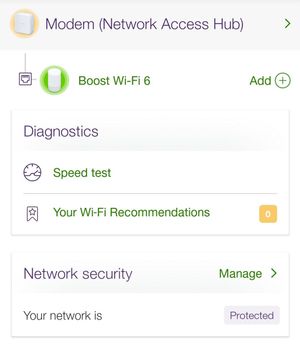
So the Telus technician I've been dealing with -- but doesn't know how to move forwards since he doesn't have the equipment himself (although his manager is threatening to change this, but who knows how long that will take) to test above 1000 Mbps and the mother ship says everything is configured properly -- suggested trying the speed test feature built into the Telus Connect App: I hadn't seen this before so I thought I'd give it a try. Not sure what it does, but hoping it reports on the speed between the modem and the internet via fiber, and not between my Samsung phone and the booster via wifi. Anyway, when I click on that option -- and I've clicked half a dozen times -- then the app always crashes and I have to restart it 😞 Once the phone popped up this short message: That's the only buggy feature I've seen in the Telus Connect App [1] because I've been using it to track new wifi devices connecting. Does this feature work or crash for others? [1] Except when I was first upgraded to fiber. The app didn't recognize the new system. Had to call Telus support. They told me to uninstall and re-install the Telus Connect App and then everything started working with the new system.6.2KViews0likes0CommentsRe: Upgraded to PureFibre 1.5 Gbps download but speed remains 1 Gbps (and I think I know what I'm doing)
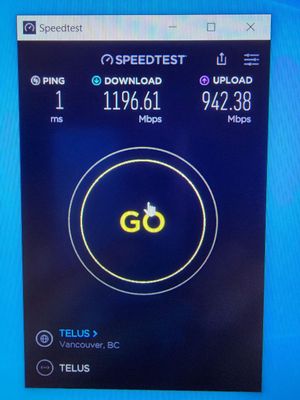
DrPacman Thanks for the info. I reached out to the person on the other thread -- via Reddit chat -- who solved the issue on the other thread, but no response so far 😞 So the jury is out on whether this will solve my issue 😞 I did another speed test late yesterday evening, with the same laptop and everything, got significantly better results: So why do I suddenly get +150 Mbps? Wouldn't this indicate some type of issue on the side of Telus since my equipment has not changed since the previous tests? Other thoughts: The diagnostic graph from the Telus FXA5000 modem looks suspicious, or? Why? The 1050 Mbps run is obviously artificially cut off at the top of the graph and becomes a straight line. Whereas looking at the upload graph then instead of being a straight line, it's kind of wavy but flat-ish. During the test then the speed test download Mbps does slowly climb and isn't flat. So I'm wondering if the FXA5000 is configured wrong? Why would it be showing the graph only up to 1070 Mbps on the y axis if the modem is capable of a lot more? This seems like the biggest indicator that the Telus equipment is incorrectly provisioned, or? What do you guys think?6.2KViews0likes2CommentsUpgraded to PureFibre 1.5 Gbps download but speed remains 1 Gbps (and I think I know what I'm doing)
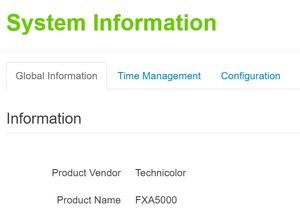
Telus fiber connection is 1500 Mbps down and 1000 Mbps up. Telus modem is a Technicolor FXA5000 and its port 5 is advertised to be capable of 2500 Mbps. I have Plugable USBC-E2500 2.5 Gbps adapter. So PC is not limited to 1 Gbps. I have tried on two Dell laptops both the default driver and latest 2022 driver from the Realtek site: 1. XPS 4 core / 8 thread with Windows 10. 2. XPS 8 core / 16 thread with Windows 11. Both Windows say its a 2.5 Gbps link. And logging on to the modem, it also says the port is using 2.5 Gbps. I've also tested with 3 different CAT6 cables. Same result. Whether it's speedtest web or, the speedtest app, I only get max download 1050 Mbps on laptop 1 and max 994 Mbps on laptop 2. Telus technician who installed is actually unable to test the speed because his Telus laptop is too old. He called Telus and they insist the account is provisioned correctly. How to fix this?6.4KViews0likes6Comments