User Profile

xiaodong
Organizer
Joined 2 years ago

User Widgets
Contributions
Re: Can't access some servers
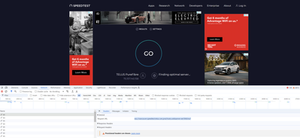
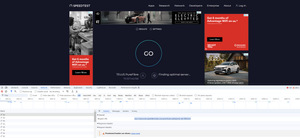
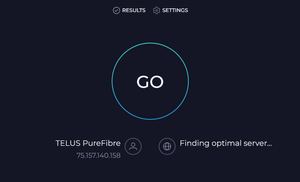
My home internet can't access some public services which hosts on non-http and non-https ports. i.e. I can login speedtest.net website but can't run speed test. After some troubleshoot, I found speedtest will use 5060 or 8080 port to get contents from backend besides 443 port. Some games can't play due to game server uses 8443 port to establish wss stream. I can't connect SSH server on public IP either. I called telus support and showed the issue. They explained it is due to HSIA policy and show me article https://www.telus.com/en/support/article/telus-hsia-security-measures-policy. It is very unreasonable and unacceptable for outbound traffic. For inbound traffic, only 80 and 443 allowing will be OK. And on the article, it doesn't say 8443, 5060,8080,22 ports will be blocked, especial for outbound. A couple of moths ago, I moved Telus home internet to new address, every works fine before moving. The issue happened after moving. Even, I have a friend in the same building, his home uses Telus internet also and can work fine. It should be some firewall rule configuration issue on my home's outbound traffic. Telus support should review my upstream device firewall rules and try to fix the issue instead of explaining HSIA to me. Otherwise, Telus internet is not worth to use any more!4.1KViews0likes2CommentsRe: Can't access some servers
speedtest website will use websocket connection to fetch something. And some game server will use websocket also. Websocket is very popular protocol on internet. websocket can host on 443 port also. If it hosts on port 443, it works for me. But if it hosts on ports except 80,433, it won't work. I can't connect a ssh server(port 22) on public IP either. I do not have any route between my device and NH20T. My device connects with Telus WiFi 6 boost and boost connects with NH20T directly.4.1KViews0likes0CommentsRe: Can't access some servers
Router model is NH20T. DNS are 75.153.171.67,75.153.171.116 which is got from upstream device via dhcp. DNS should be OK since it can resolve correct IP address. I just figure out it isn't related with IP address. It does be related with the port. It looks like only outgoing 443 and 80 ports are allowed. i.e. following 2 wss URL aren't use default 443 port and can't access. It is very unreasonable that Telus block my outgoing ports and only allow 443 and 80. For incoming traffic, only 443 and 80 opened is OK. Will report telus support for the issue. wss://ws_server19.nadgames.com:8443/BlueBox/websocket wss://vancouver.speedtest.telus.com.prod.hosts.ooklaserver.net:8080/ws?4.2KViews0likes2CommentsCan't access some servers
I notice my home internet can't reach some servers. i.e. some server on AWS US region and some game servers. All the devices on my home have same issue. Firstly, I suspect the WAN IP is banned on some network. After call telus support and give me a way to renew another WAN IP. The issue still persists. DNS has no issue. Resolved IP address is collect. Speedtest.net can't find a optimal server even. Does anyone encounter same issue and have experience to resolve it?4.4KViews0likes9Comments