User Profile

Mr_Neil
Neighbour
Joined 2 years ago

User Widgets
Contributions
Re: New Telus Smart Hub
Thanks for reply, but is there a solution to seeing my in home setup as well as the internet? As I said, the previous ZTE 275 has worked flawlessly for years. the help feature on bridge mode specifically states use Lan1, not Full Mode, to ensure continued access to Internet4.1KViews0likes2CommentsRe: New Telus Smart Hub
Took the step to enable bridge mode, not full bridge, just Lan1. Manually adjusted the router to 192.168.1.1 and reboot. result is, I can see my network, servers etc, but no internet. Not from Linksys nor the Telus Hub. So... Bridge Mode: see the home devices, no internet No bridge mode: good internet, no access to in home devices.4.1KViews0likes0CommentsNew Telus Smart Hub
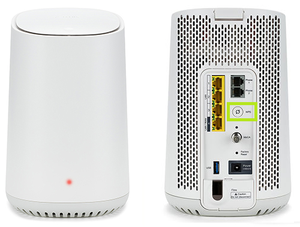
Have been using Linksys router connected to rural Telus ZTE 275 for several years (4G). Requested more data from Telus and was offered a 5G solution. Received an outdoor unit and a Telus Wifi Hub. (looks like a beehive) My issue is this: The new Telus SmartHub somehow changes the IP on the Linksys Router, providing a new 10.xxx.xxx.xxx to the Linksy. My devices, servers, cameras, printers are all disappeared, and are on the 10.xxx network. How do I set up the Telus SmartHub to simply pass thru Internet to my router? I have managed to login to the 192.168.1.254, but I am not familiar with next step. Is it Bridge mode on the Telus Router? thanks for any advice4.2KViews0likes5Comments